Run every job against the bid you won.
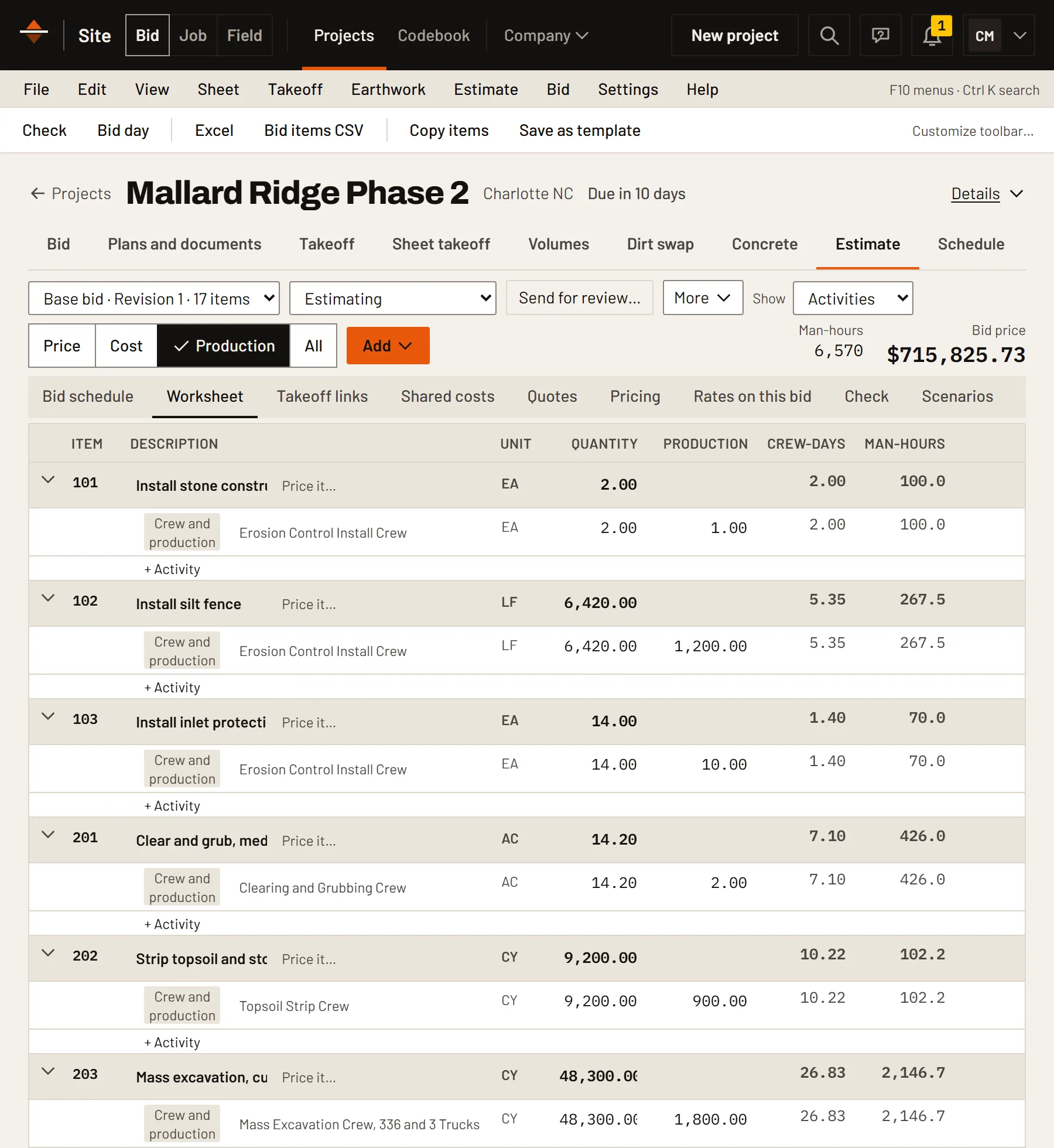
The estimate becomes the budget. Cost, production, schedule, billing and lien deadlines, checked by cost code every day instead of at month end.
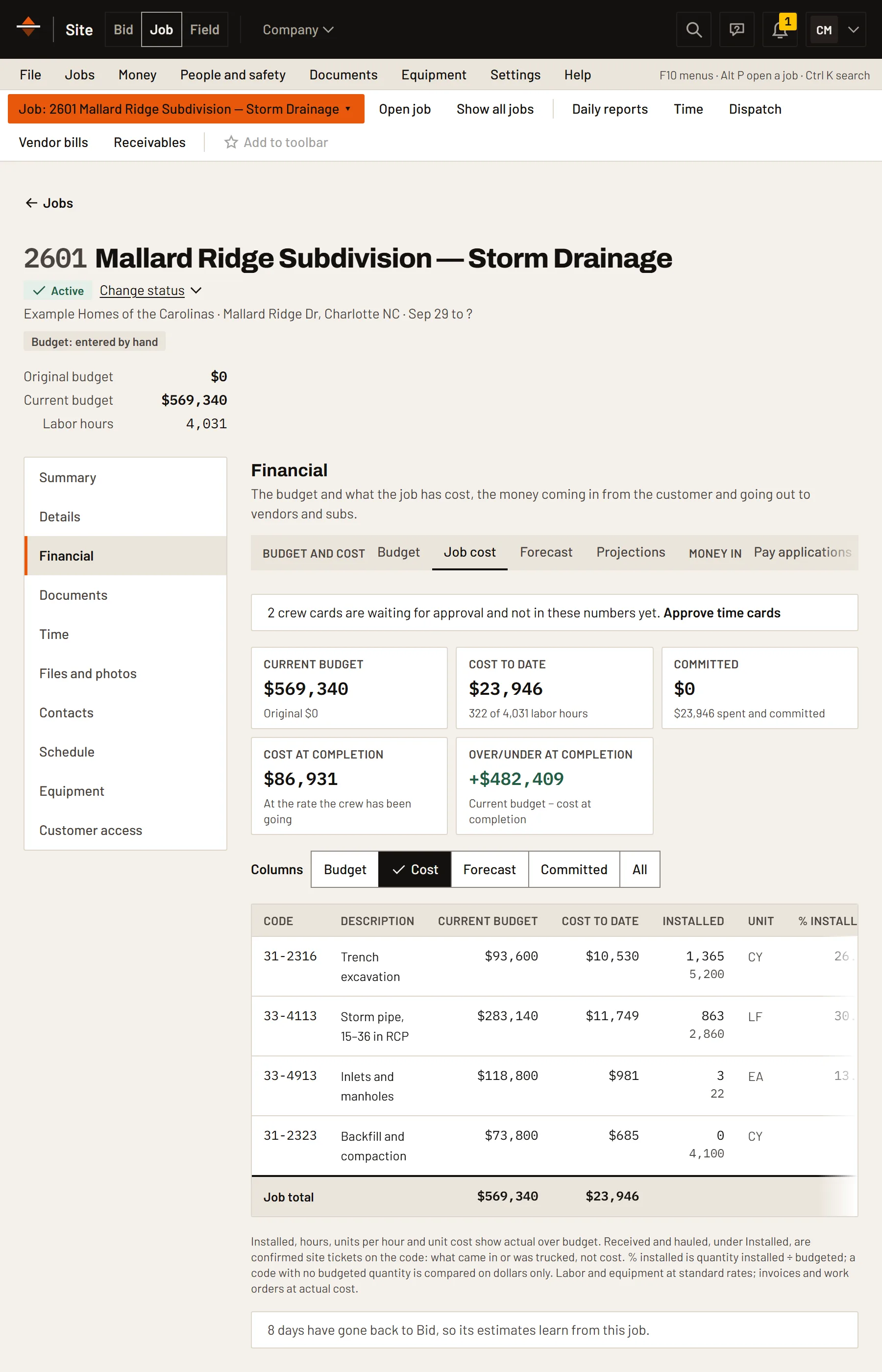
Send crews and machines where they're needed.
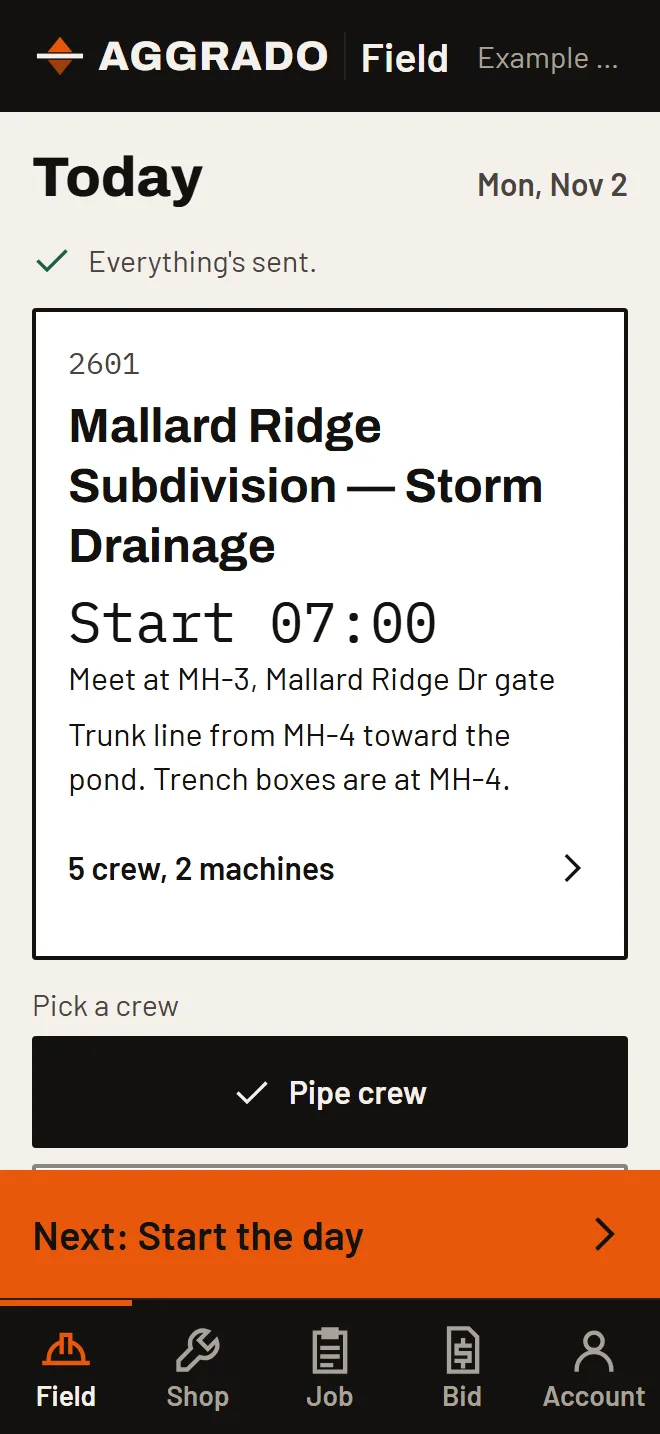
Plan each day's crews, people and equipment by job on one board, and publish the two-week look-ahead to every foreman's phone.
- Crews, people and machines by day
- A 14-day look-ahead on every phone
- Foremen confirm they've seen it
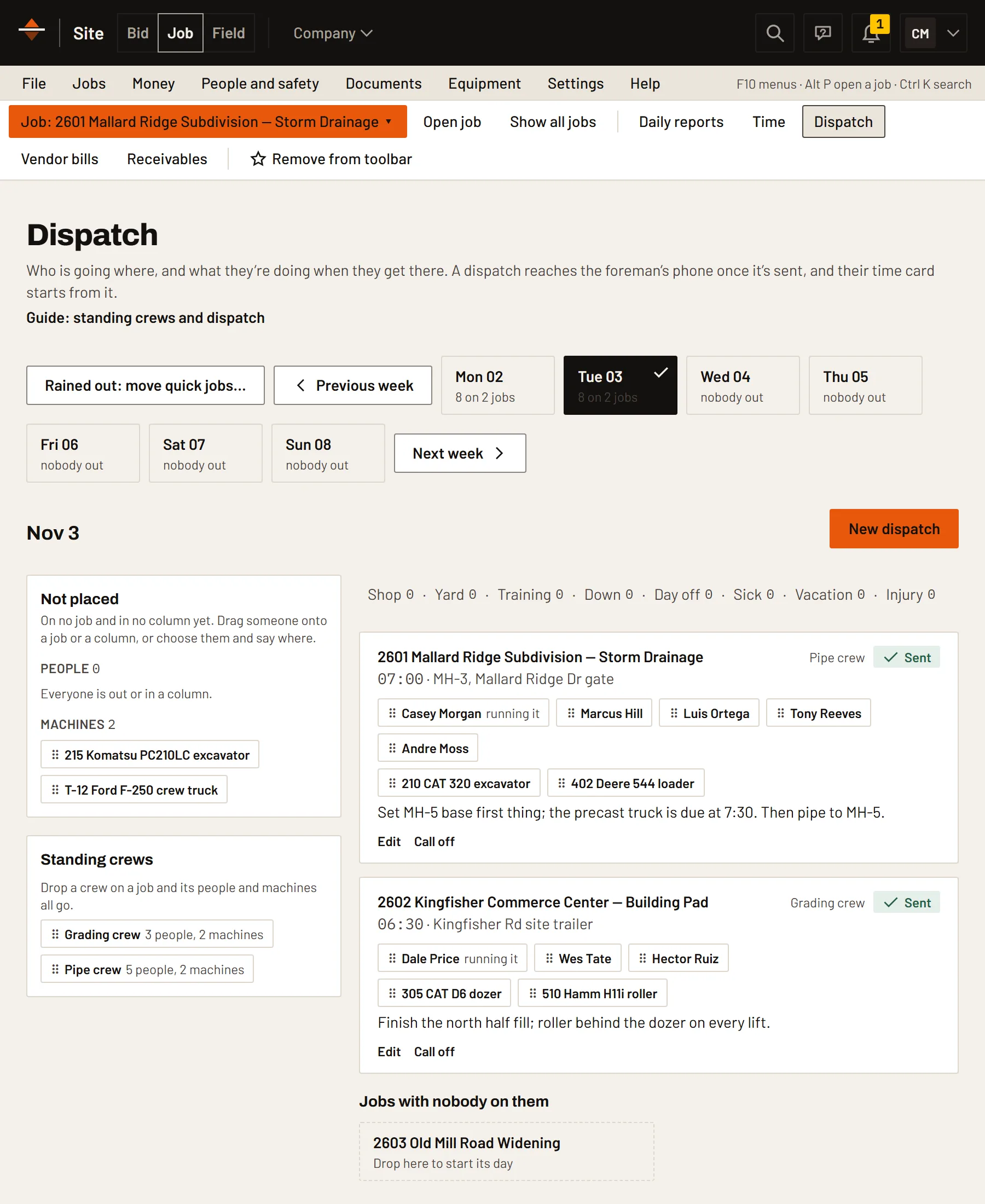
A schedule for the work, not the wall.
Lay out the job's work with start and finish dates and durations, and keep percent complete current as it goes.
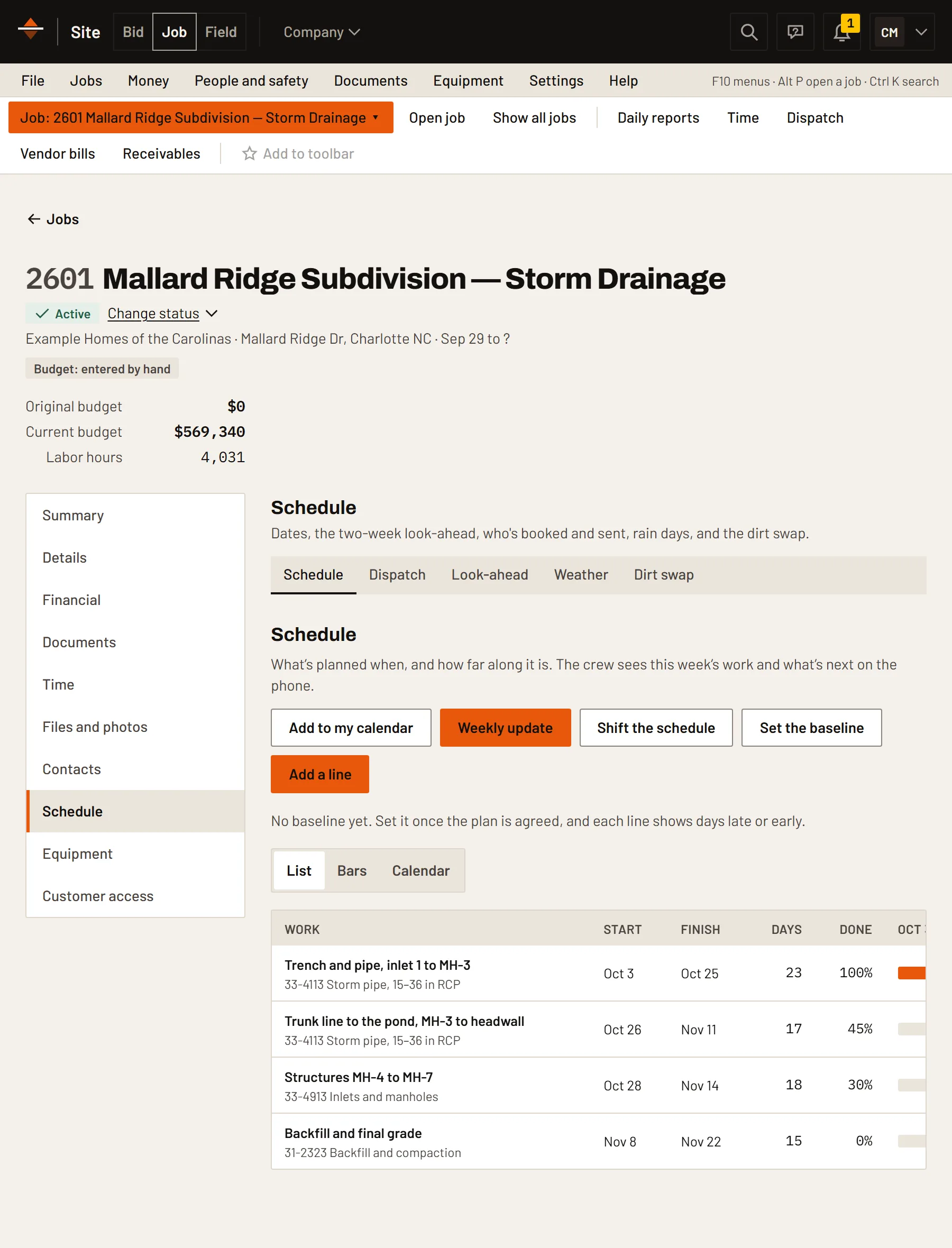
Lien deadlines in front of you.
Each state's notices and filings, dated from your first and last day furnished, with the notice printed ready to sign and serve. North Carolina and South Carolina are in, with more states to come. A tool for your office and your lawyer, not legal advice.
- Deadlines from the days you furnished
- Retainage checked against state law
- Printable notices with the notary block
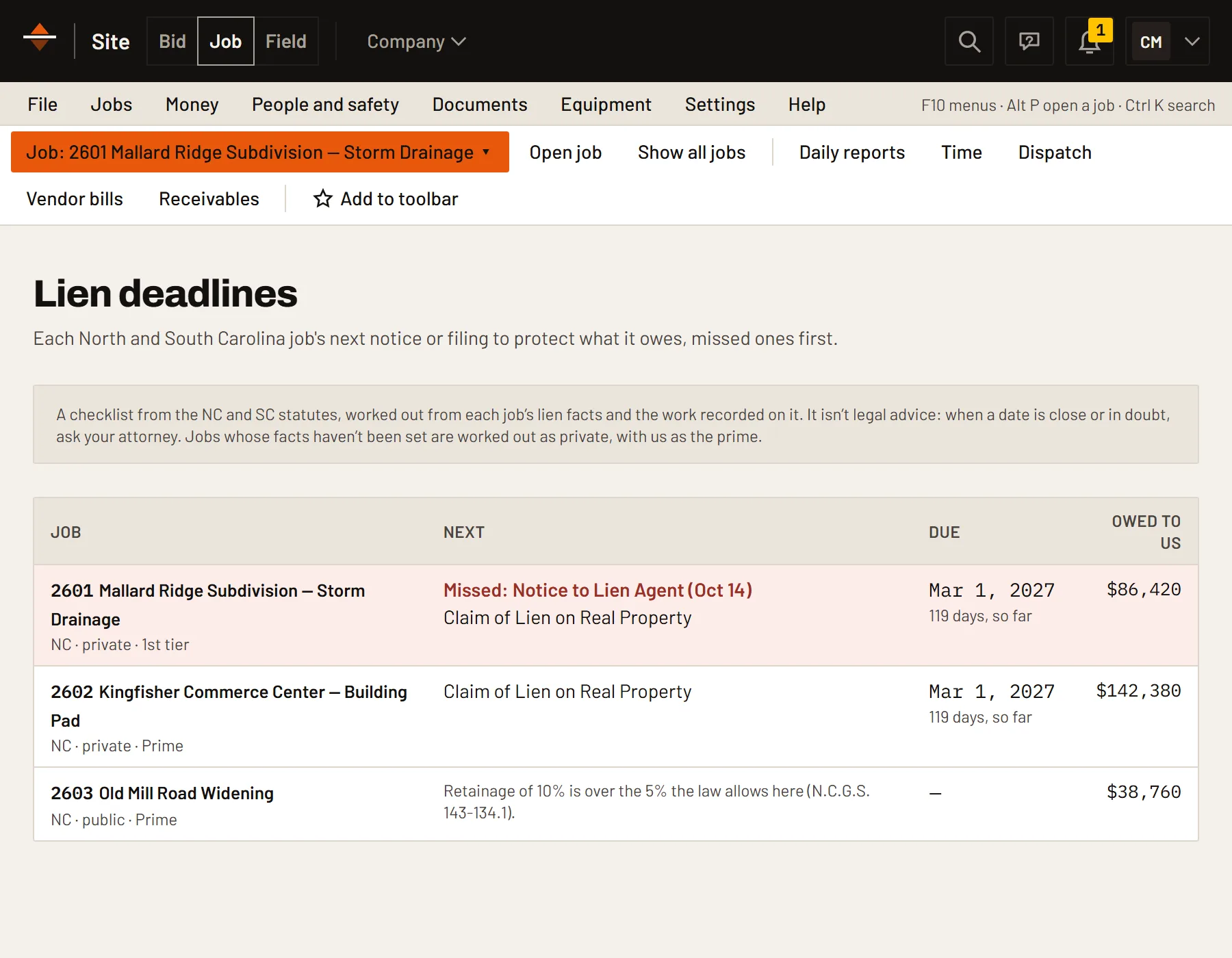
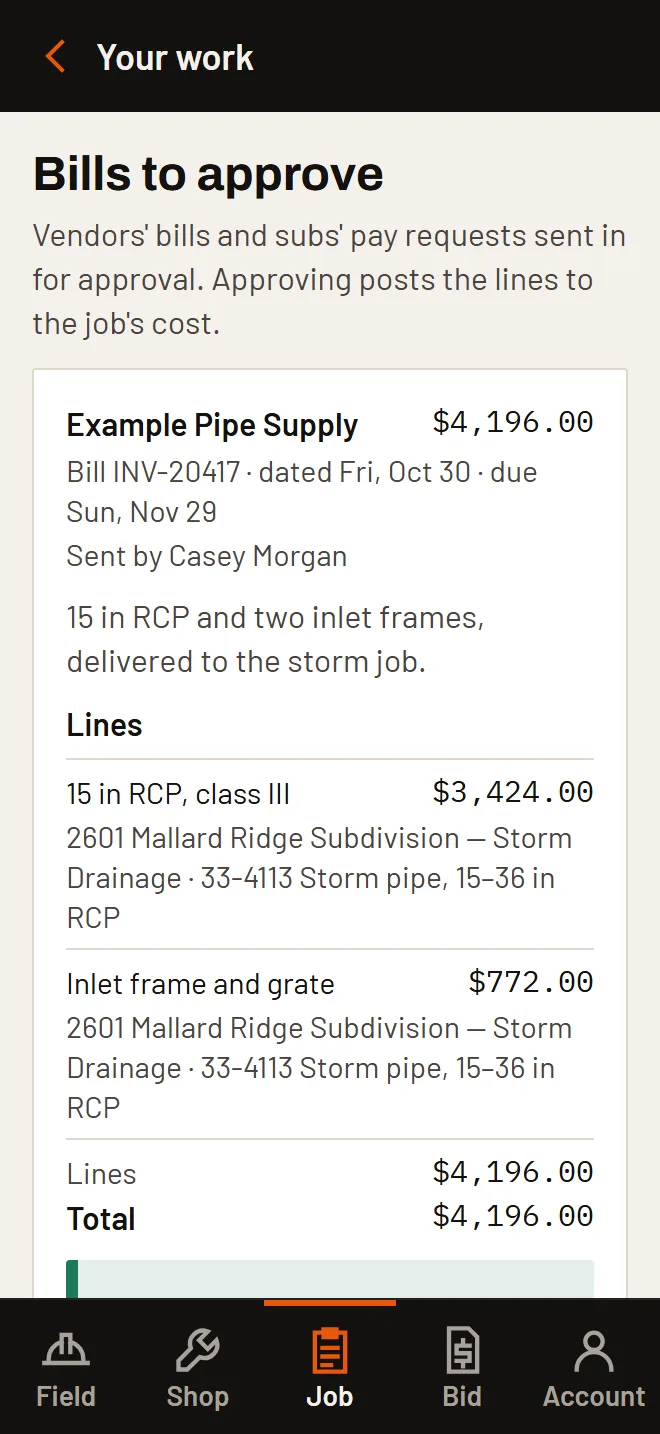
Approve bills from the truck.
Vendor bills are checked against the purchase order and the tickets, approved by the project manager from a phone, and sent on to QuickBooks.
- Pay applications with retainage
- Signed T&M tickets go onto a change order at the signed total
- Change orders priced the way the bid was
From the locate ticket to the last pay application.
The parts of a sitework job that general project software leaves to a spreadsheet, and the PM's week in fewer clicks.
811 tickets
Each 811 ticket on its job (NC811 and SC811 so far), with every utility's response and when it needs a remark.
Stormwater inspections
When the state permit's next self-inspection is due (North Carolina's NCG01 so far: a week on, or an inch on the site gauge), with the form filled in from the field.
Monday update
One page lists every job's schedule lines to update, so the week starts with the schedule current.
Daily reports to approve
Daily reports opens on what's waiting across your jobs, approved together, with the days that have a time card but no report.
Pay applications in one list
Every job's pay application for the month in one company-wide list, each sent with one Send.
Customer answer links
RFIs and submittals go out with an answer link, and T&M tickets with a signing link. The customer answers, stamps or signs without an account.
More in Site Job.
- Budget from the bidQuantities, cost codes and crew hours carried in.
- Cost to datePosted daily as the field reports.
- Cost at completionForecast from production so far.
- Change ordersPriced, approved, then budgeted.
- T&M ticketsSigned as directed, or for quantities only.
- EquipmentMachines, work orders, inspections, fuel and equipment rates.
- PeopleDirectory, time cards, the time clock, pay rates and PTO.
- QuickBooksVendor bills, pay applications and invoices to QuickBooks.
- Customer accessWhat your customer sees: pay applications, change orders and approved daily reports.
Job works on its own.
Add another module when you want the numbers to carry across instead of being typed again.
Put Site Job on your next job.
Free for 14 days, no card. Load starter crews and rates, upload a drawing and price your first item.