Estimate sitework from your own crews.
Take off from the engineer's drawings, price every item from the crew that does the work, and walk into bid day knowing what is still a guess.
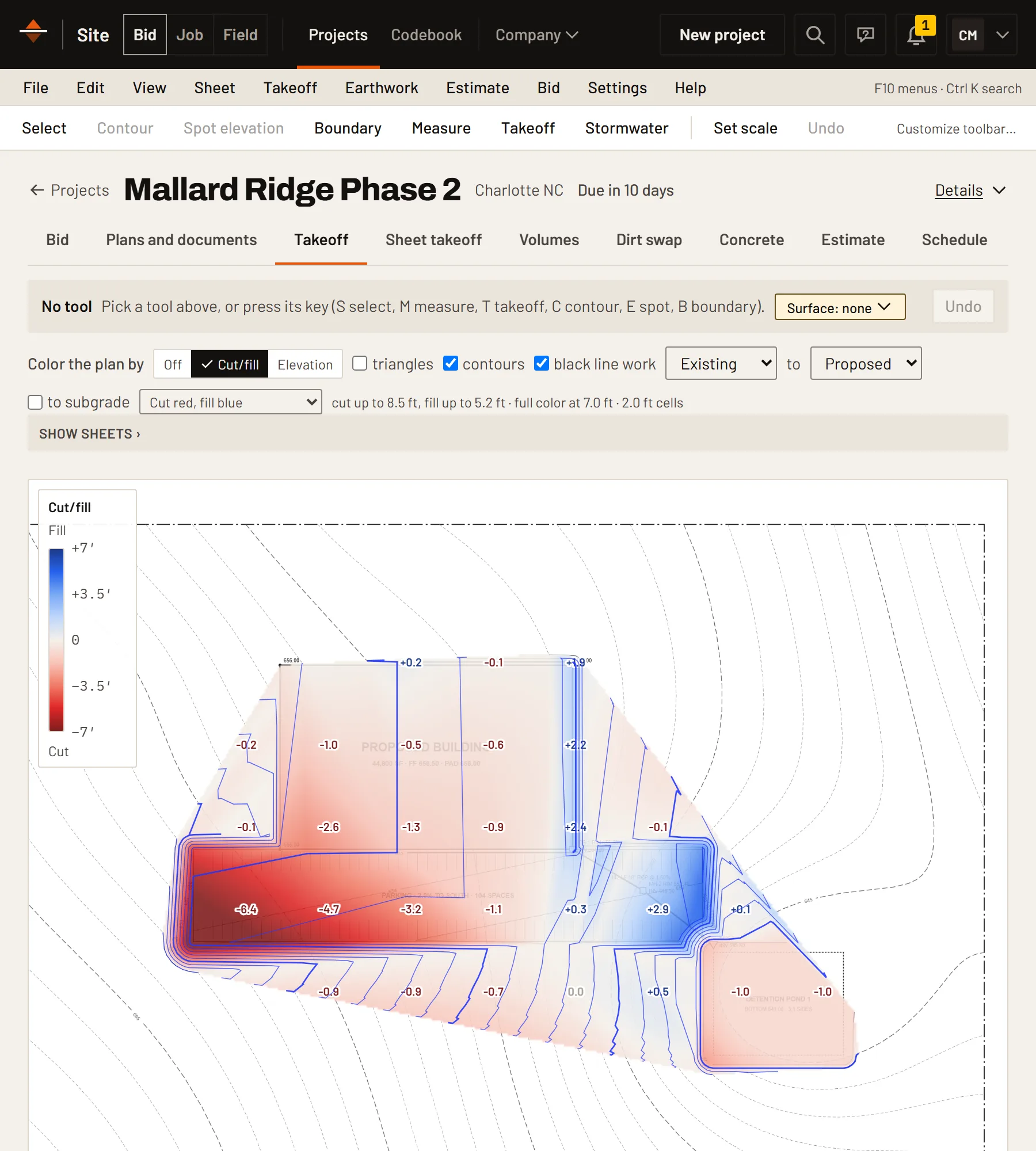
Take off from the drawings you were sent.
Open the CAD file (DWG or DXF), LandXML or PDF plans. No survey yet? Pull existing ground from public lidar. Build the surfaces and see the cut and fill before you price a yard.
- Volumes by area or by cross section
- Topsoil stripping, one fill factor per project, and swell for trucking
- Pipe runs priced by the depth they're dug
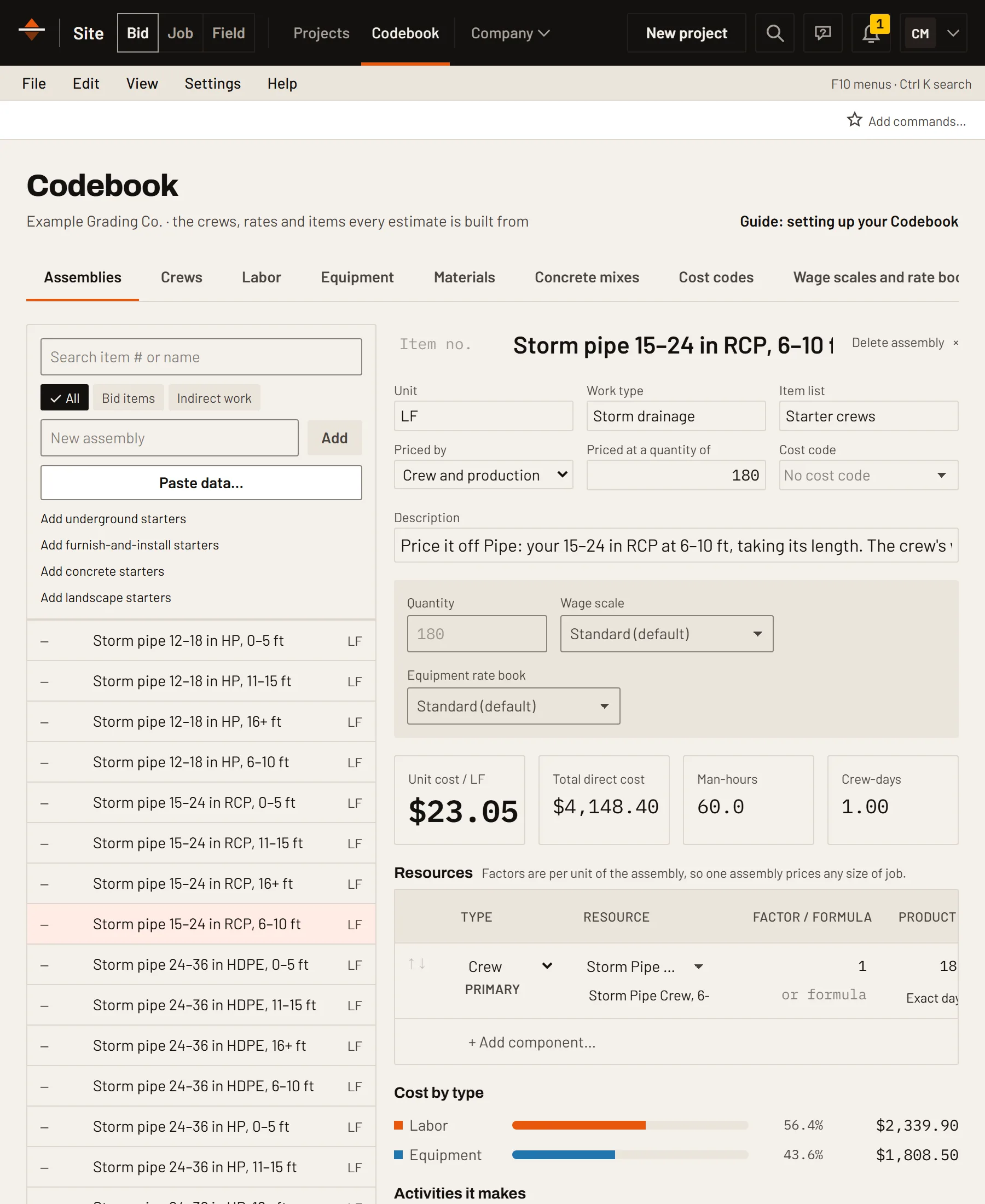
Price from the crew that does the work.
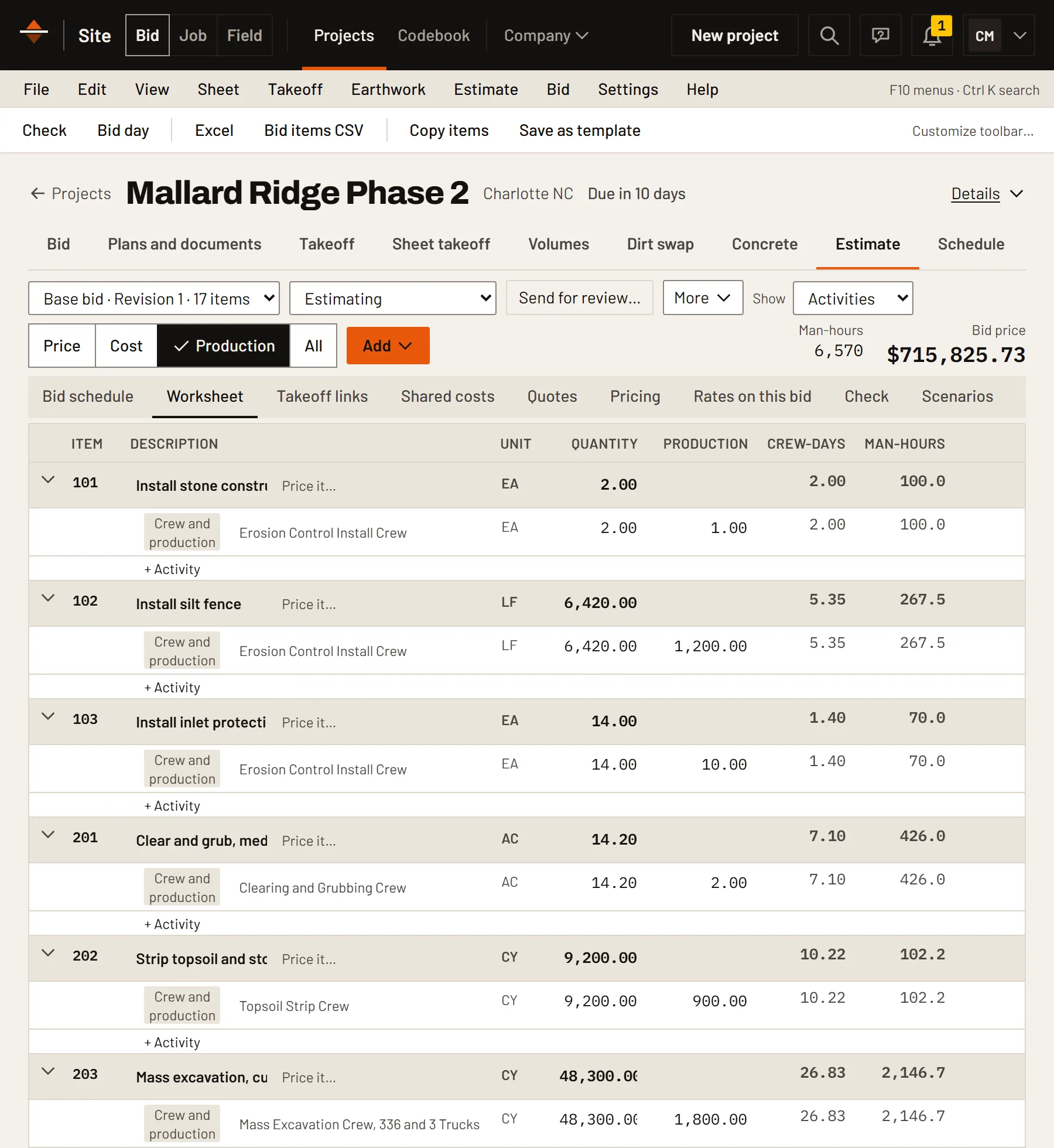
Your labor classes, equipment rates, materials and production rates live in one Codebook. An item's unit cost is the crew's hourly cost divided by how much it puts in an hour.
- Your own wage and equipment rates
- Assemblies for the work you repeat
- What your crews really produced, ready for the next bid
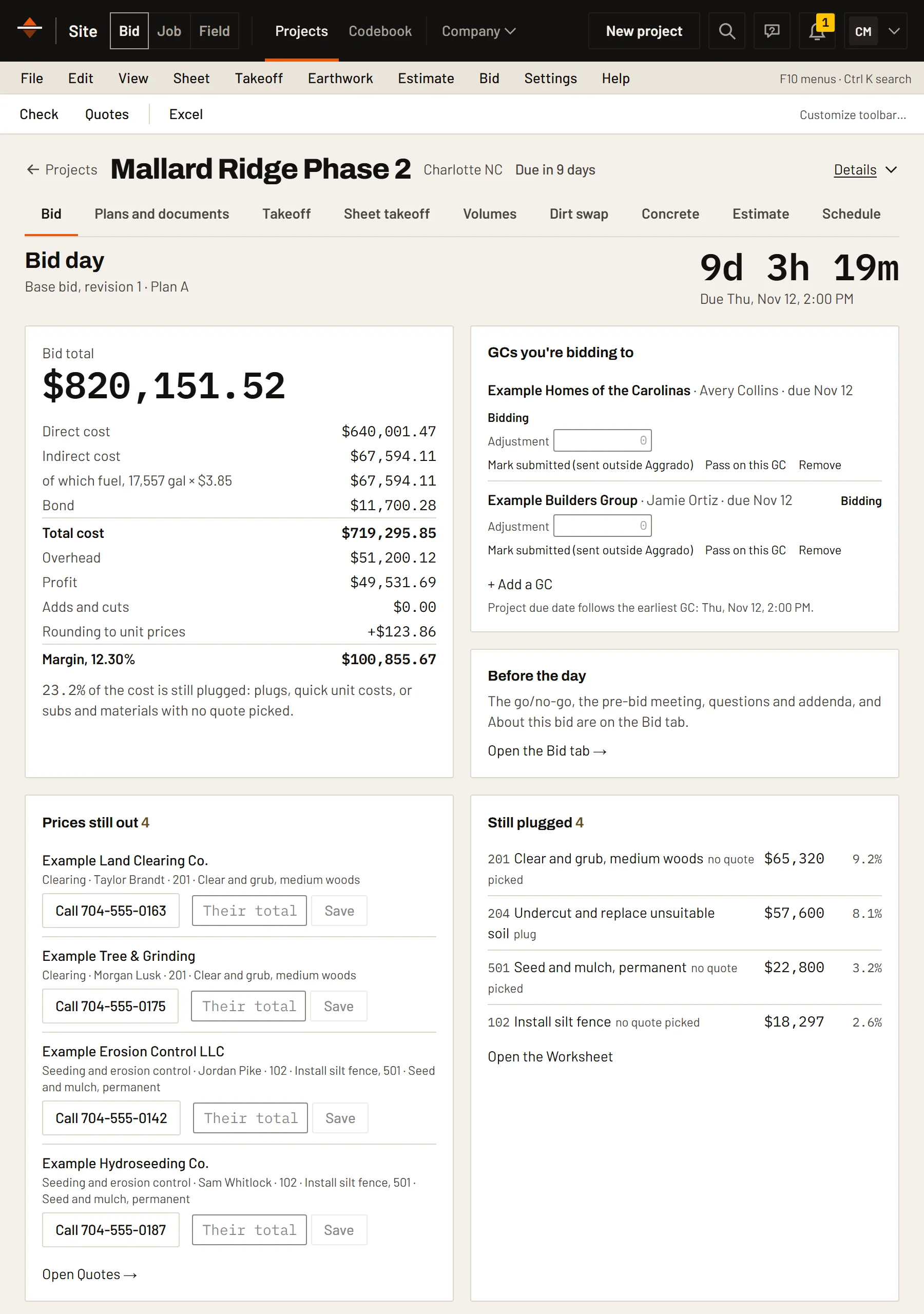
Know what's still a guess before you submit.
The total, the markup and every quote still out, on one screen, with roughly priced items flagged so they don't slip through.
- Fill a vendor's missing lines with your own cost
- Keep several markup strategies and switch between them
- Lock as submitted keeps the bid as it was sent
Read the plans, price the work, keep the whole bid.
A takeoff tool stops at the quantity. Bid reads the plans for you, prices from your own crews and keeps the bid from the invitation to the proposal.
Read the plans
AI reads each sheet of the plan set for pipe, structures, curb, paving and erosion control, and counts each thing once. You accept each line before it goes on the estimate.
Quick bid
Price a small job in a few minutes: pick the job, enter what you measured, check the costs, then send the proposal.
Existing ground from public lidar
No survey yet? Earthwork pulls the site's existing ground from USGS lidar, so you see the cut and fill on bid day.
Retaining wall review
A block wall's face area, the fill behind it and its quantities, worked out on Volumes and put on the estimate.
Cut/fill shading
Shade the plan by cut and fill, cut red and fill blue, or by elevation, to see where the dirt moves.
Order a takeoff from Aggrado
Short on time? Send the plans and Aggrado does the takeoff in your project, ready for you to price.
The Bid tab
Each project opens on Bid: go or no-go, the GCs you're bidding to, the due date, addenda, pre-bid RFIs and prices still out.
Pipes onto the estimate in one step
A pipe network goes on as pipe by size and depth and structures by type and depth, each tied to its quantity.
One fill factor
Set once per project on Volumes; every volume, grade shape, cross section and mass haul uses it.
More in Site Bid.
- CAD and PDF plansDWG, DXF, LandXML and PDF. Nothing to install.
- VolumesBy area or by cross section.
- Pipe networksStructure to structure, with inverts and depths.
- Quotes by scopeRequest, level side by side and pick one.
- Suppliers quote your takeoffSend the list; priced lines come back.
- Lock as submittedRevisions start from a copy, with history.
- Six ways to price an activityCrew and production, Unit costs, Typed cost, Sub, Options or % of other work.
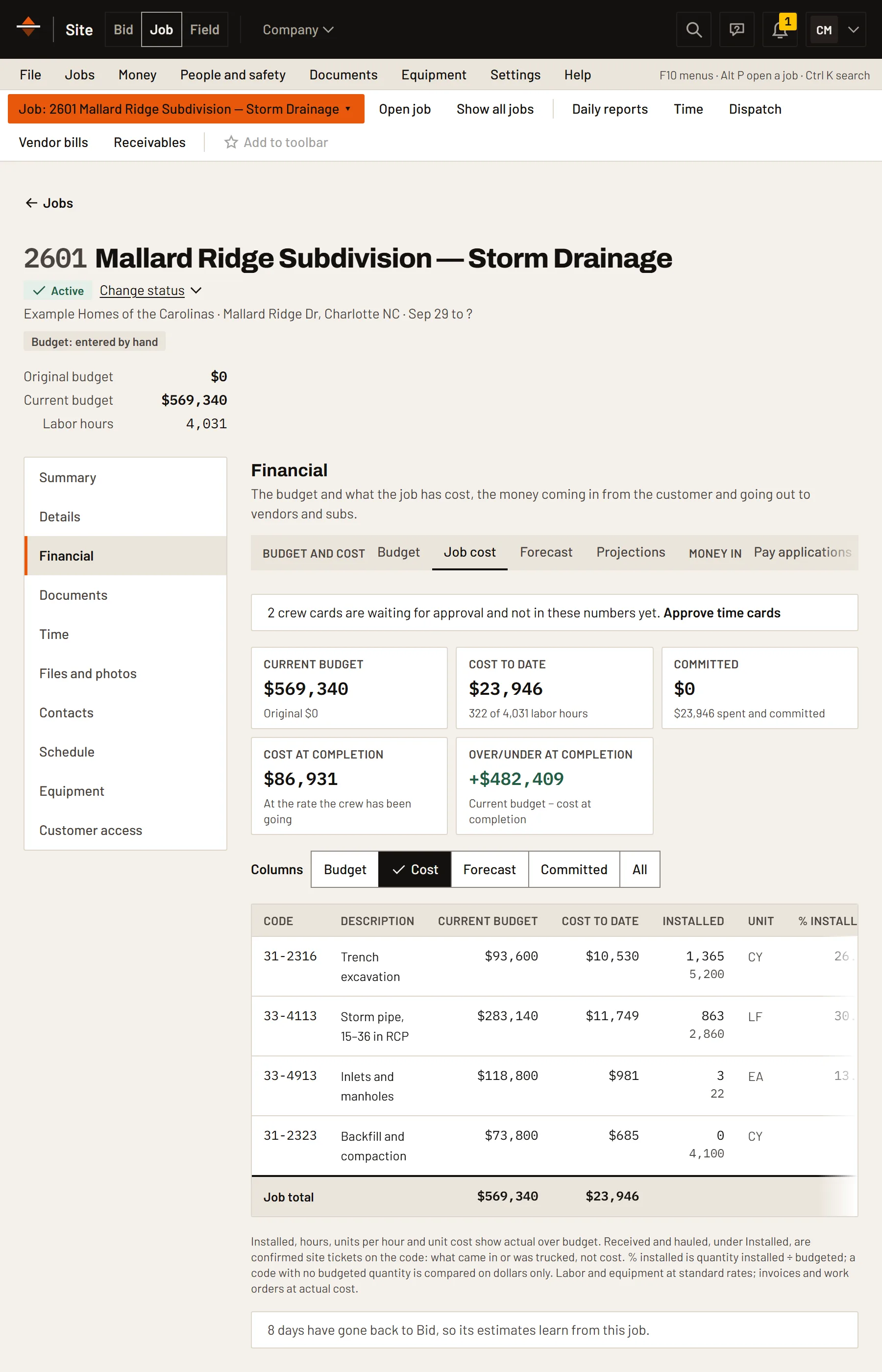
- Becomes the job budgetMark it won, and Hand off to Job sends it over as the budget.
Bid works on its own.
Add another module when you want the numbers to carry across instead of being typed again.
Put Site Bid on your next job.
Free for 14 days, no card. Load starter crews and rates, upload a drawing and price your first item.